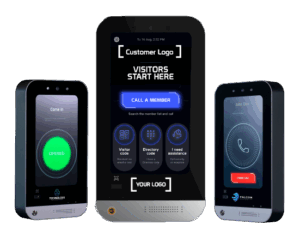
A multi-tenant video intercom gives visitors a way to reach the intended resident, business or staff member at a shared entrance. A successful installation also needs clear administration, suitable door hardware and a support plan for the people who use it every day.
Start with the property’s entrances and users
List pedestrian entrances, vehicle gates and any interior doors included in the project. Identify which tenants use each entrance and whether visitors need to reach individual residents, business reception teams or property staff. Separate permanent users from delivery drivers, service contractors and occasional guests.
Provide the supplier with the number of residential units or commercial tenants, the expected user population and likely expansion. Confirm the supported capacity of the selected hardware and subscription. A large directory does not by itself prove that every required calling or access workflow is supported.
Define the call and entry experience
Decide how visitors find the intended recipient and how that recipient answers. Demonstrate the supported mobile app or answering endpoint, the audio and video experience, and the process for authorizing entry. Establish what happens when a resident is unavailable or a business is closed.
Include people who do not use a smartphone in the planning discussion. Ask which alternative workflows are supported in the proposed configuration. Do not assume a fallback exists simply because another intercom brand provides one.
Connect visitor entry with everyday access
Visitor communication and resident access solve related needs. The intercom handles the arrival conversation; access control manages supported credentials and permissions for regular users. Review them together so the property has a coherent process for move-ins, move-outs, employee changes and lost credentials.
Confirm the controller, reader, lock and gate interfaces for each opening. Existing equipment should be assessed by model and condition. Where third-party cameras, intrusion systems or other services are included, define their separate functions and any documented integration.
Make administration part of the purchase decision
Ask the property team to perform common tasks during the demonstration: add a tenant, update a contact, remove access and review an available event record. Identify who owns the administrator account and how responsibilities are transferred when management personnel change.
Agree on account roles, available records and retention settings with the provider. Entry records can support investigation and administration, but they should not be described as a guaranteed count of occupants or a replacement for an emergency procedure.
Survey the site and agree on acceptance tests
- Confirm mounting, accessibility, lighting, audio conditions and environmental suitability for each entrance.
- Document cable routes, network service, power supplies and any agreed backup arrangements.
- Review door and gate operation with the qualified installer responsible for the hardware.
- Test visitor calling, authorized release and the documented outage or unanswered-call process.
- Train property staff and record support contacts, warranty terms and service responsibilities.
Ask for a complete commercial proposal
Request equipment and installation costs separately from recurring software and support charges. Make the subscription billing basis explicit and include additional entrances, tenant growth and optional services in the discussion. This gives the property a useful operating budget rather than a panel price alone.
Plan a LobiBox project
Explore the LobiBox access control and video intercom platform, with solutions for multifamily properties and multi-tenant commercial buildings. Integrator partners can discuss project requirements and a first deployment; OEM partners can explore private-label opportunities.