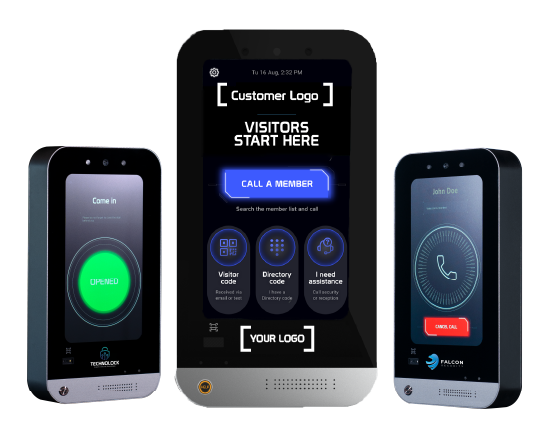
A good visitor entry process helps people reach the right person, gives authorized staff or residents a clear way to respond, and supports the property’s access rules. Start with that journey before choosing a touchscreen, mobile app or check-in system.
Define the visitor journey
Map how a guest, delivery driver or service contractor arrives, finds a host, requests entry and reaches the intended destination. Include evenings, weekends and unanswered calls. An office with a staffed reception desk has different requirements from an apartment building with individual residents or a vehicle gate serving an entire community.
For each entrance, identify who may approve entry, which door or gate can be released, and what happens when nobody answers. Decide how the property will handle a visitor who cannot use a smartphone. These operating decisions should be part of the demonstration and project scope.
Understand the different systems
- Video intercom: provides a way for a visitor to call an intended recipient and, where supported, communicate by video and audio before entry is approved.
- Access control: manages permissions and the hardware that controls a door or gate. Confirm supported credentials, schedules and controller behavior for the proposed configuration.
- Visitor check-in software: may handle registration, badges, invitations or host notifications. Those features vary by product and should be verified separately.
- Property administration: gives authorized staff a place to manage supported devices, users and permissions.
These functions can complement one another. A video intercom does not automatically include every feature of a visitor registration system. Likewise, a recorded entry event does not establish that every person currently on site has been counted.
Build a useful project brief
Give your supplier the property type, number of residential or commercial tenants, entrance count, expected visitor volume and staffing model. Include existing locks, gate operators, readers, cabling, power and network connections. List any systems that must remain in place, along with their model numbers and versions.
Separate essential requirements from preferences. A requirement such as “residents can answer a visitor call on a supported phone” can be demonstrated. A broad phrase such as “integrates with everything” cannot serve as an acceptance test.
Plan administration and support
Assign responsibility for adding and removing residents or employees, changing access permissions and responding to service issues. Confirm administrator roles, available event records, data retention options and account ownership with the selected supplier. Collect only the visitor information the property actually needs.
Ask for documented behavior during an internet outage or power failure. Identify the person who will support the network, the person who will service the door hardware, and the person who will handle software questions. Record the escalation path so a property manager does not have to coordinate it during an incident.
Compare total operating cost
Request a written breakdown of equipment, installation, network service, subscriptions, training and ongoing support. Make sure the recurring billing basis is clear: per entrance, device, door, property, tenant or another agreed unit. Include expansion costs and the process for changing providers or transferring administration.
Test one complete workflow before rollout
- Demonstrate a normal visitor call and authorized entry at the intended entrance.
- Test unanswered calls, incorrect directory selections and the agreed fallback process.
- Verify resident or employee onboarding and removal.
- Check event records, administrator access and service escalation.
- Document acceptance criteria and train the people who will operate the system.
Where LobiBox fits
The LobiBox platform brings video intercom, access control, mobile access and property administration into the project discussion. Explore solutions for multifamily properties, commercial buildings and gated communities. Specialized registration, camera, intrusion or third-party integration requirements should be confirmed in the proposed scope.